
Settings Guide
🔧 Signal House App Settings Guide (GHL)
The Settings tab in the Signal House App allows you to fine-tune your SMS and Voice functionalities, compliance controls, and link management — all directly within GoHighLevel (GHL).
🚀 How to Access Settings
Open your GoHighLevel dashboard.
Click on the Signal House app in the left-hand panel.
On the top-right corner, click the ⚙️ Settings icon.
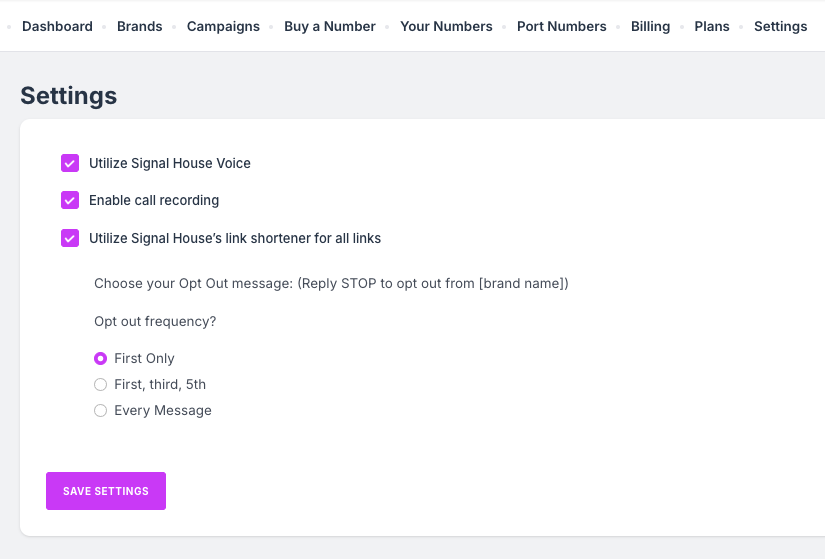
⚙️ Settings Options Breakdown
1. Utilize Signal House Voice
Enable this feature if you want to use Signal House’s built-in voice capabilities for your purchased numbers instead of relying on external routing systems (like third-party call forwarding).
✅ Works natively with GHL
✅ Eliminates the need for third-party dialers
🚨 Note: If you are currently a GoHighLevel customer and would like to transfer your number(s) to Signal House, we recommend NOT turning on Signal House voice until AFTER the port finalizes.
2. Enable Call Recording
You can turn on automatic call recording for compliance, quality assurance, or record-keeping.
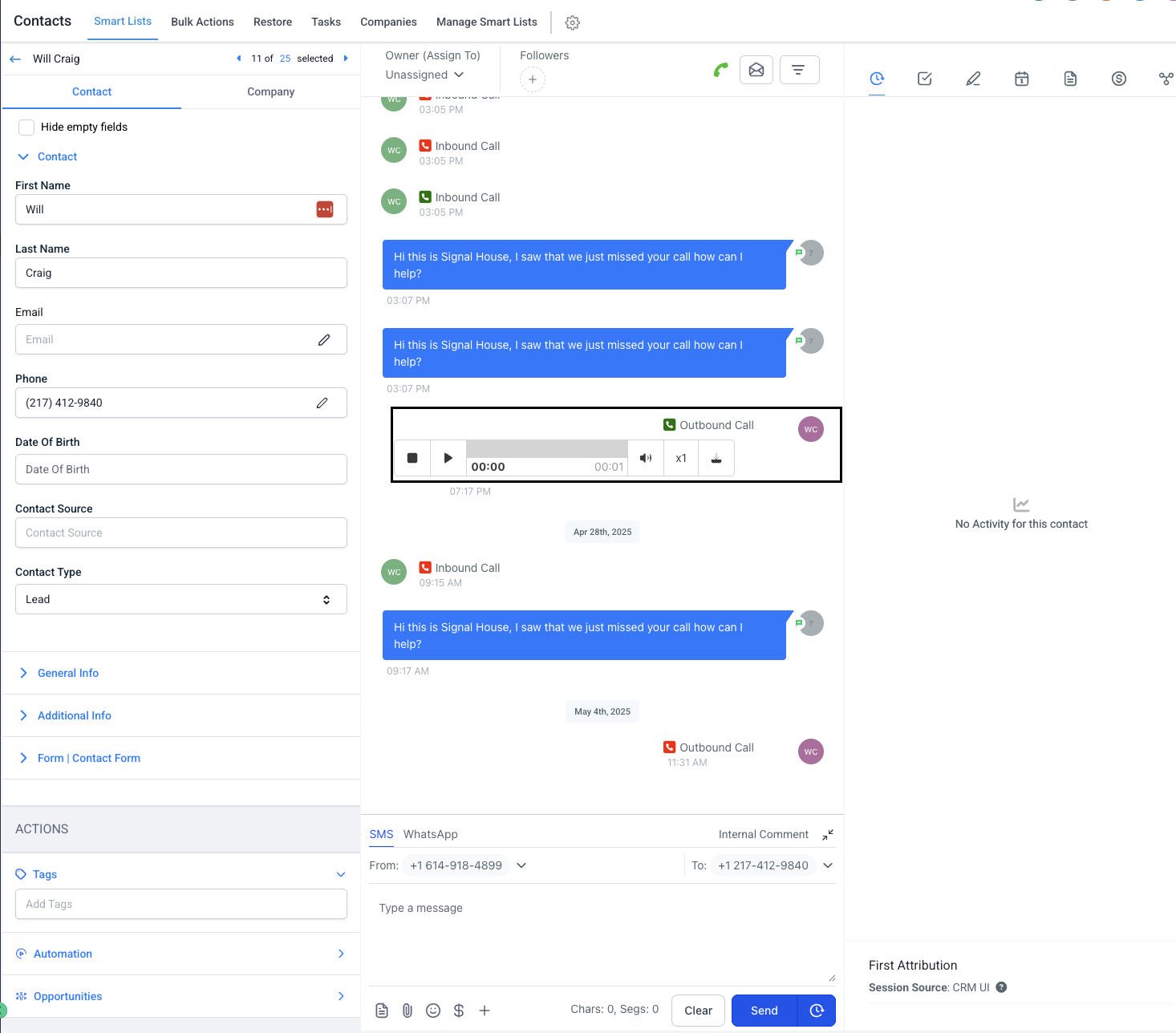
Recordings are stored and can be reviewed in the contact record for that user. To review at any time, simply click on the contact, and the call recording will be visible in the log:
Ideal for call-heavy workflows or regulated industries
3. Enable Link Shortener
Turn this on to use the Signal House Link Shortener for all links sent via SMS.
Ensures links look clean and professional
Increases deliverability (never send a bitly link, for example, this will always fail!) and click tracking
Helps avoid carrier spam filters
4. Opt-Out Settings
This feature helps you manage how often your users see opt-out notices to stay CTIA-compliant.
Choose how frequently to append opt-out notices (e.g., “Reply STOP to opt out”) in your messages:
Option | Behavior Example |
|---|---|
First Message Only | Sends opt-out language only in the first outbound message |
Every Message | Sends opt-out language in every message (maximum compliance) |
First, third, and 5th Messages | Sends opt-out in the first, third, and fifth outbound messages |
✅ Signal House automatically tracks per-recipient message count to apply this logic.
✅ TL;DR – What You Can Control in Settings
Feature | Purpose |
|---|---|
Signal House Voice | Use our voice solution for your purchased numbers |
Call Recording | Enable/disable call recording |
Link Shortener | Auto-shortens all links in your SMS campaigns, using the sihou.io shortener |
Opt-Out Frequency | Set frequency of STOP/HELP notice delivery |
📘 Need Help?
If you’re not sure what setting to choose or want to understand the compliance impact:
📩 Email us: support@signalhouse.io
💬 Use in-app chat for instant help