
Configure a Number
📲 How to Configure a Number in Signal House (GoHighLevel App)
Whether you’ve just purchased a number or need to reassign one, configuring your number correctly is essential to ensure successful messaging. This guide walks you through assigning your number to the appropriate brand and campaign from within the Signal House app inside GHL.
🚀 Step-by-Step Instructions
Step 1: Open Signal House App
On the left-hand sidebar inside your GoHighLevel dashboard, click on the Signal House app.
Step 2: Navigate to “Your Numbers”
Once inside the app, click on “Your Numbers.”
You will now see a complete list of all numbers associated with your account.
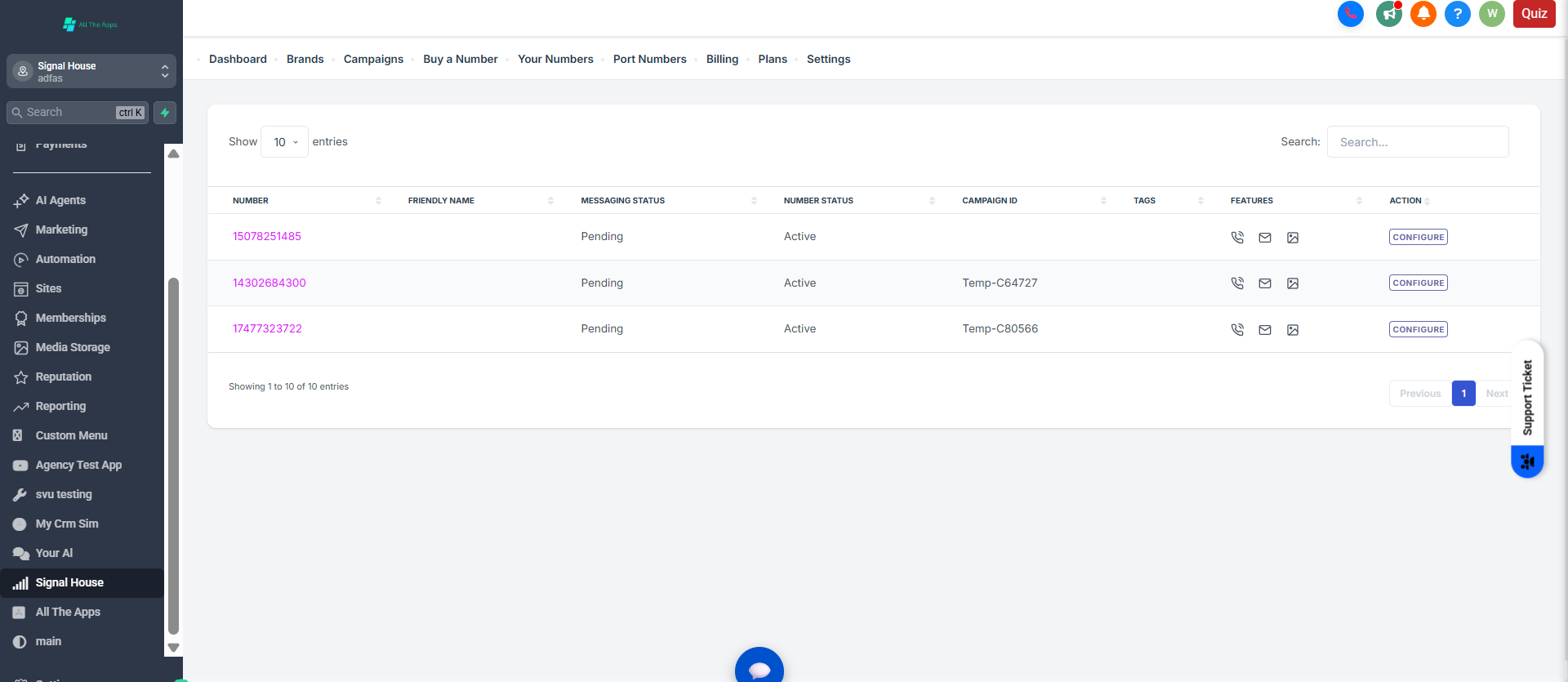
Step 3: Review Number Details
Each number will show the following information:
Column | Description |
|---|---|
Number | Your purchased phone number |
Friendly Name | An alias to help identify the number |
Messaging Status | Whether it's active for SMS Note: When a number is added to a campaign, the status will change from "Pending" to "In Progress" once the number is attached. This process can take between 5-60 minutes, depending on how long the carriers take to finalize the connection. Once done, it's in a "Ready" state, and you never have to configure it again 🙂🙌 |
Number Status | Active / Inactive |
Assigned Brand | The brand it is linked to |
Assigned Campaign | The campaign it is linked to |
Features | Icons showing if the number supports: |
📞 Calling
💬 SMS
🖼️ MMS
Step 4: Assign a Number to a Campaign
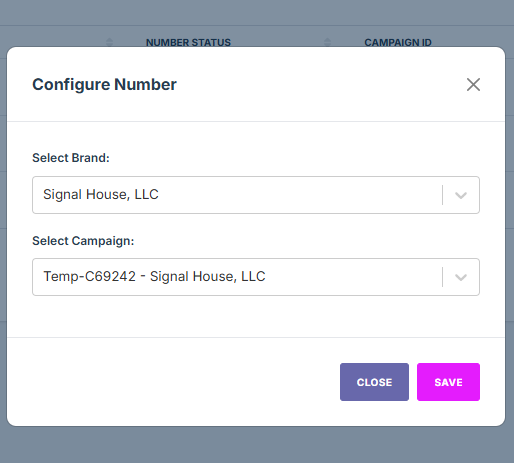
Click on “Configure”
Choose the appropriate Brand and Campaign
Click Save
Your number will now be linked and ready to use for messaging.
⚠️ Don't see a campaign yet? You probably still need to submit one! No worries, you can do that quickly and efficiently with Signal House 🙌
📝 TL;DR
Open Signal House app → “Your Numbers”
Click Configure
Choose the right Brand & Campaign
Click Save — and your number is configured!
Wait until the Status says "Ready" and then send out your texts! 🚀
❓Need Help?
💬 Chat with us inside your dashboard
📧 Email us: support@signalhouse.io