
Onboarding flow - Subaccount
🚀 Subaccount Onboarding: Get Set Up to Send Messages
When a subaccount user logs into Signal House from GoHighLevel, they'll be walked through a quick, guided onboarding flow, no jumping between screens or hunting for settings. Everything is completed in a single flow, saving time and getting them fully set up to send text messages in about 10 minutes.
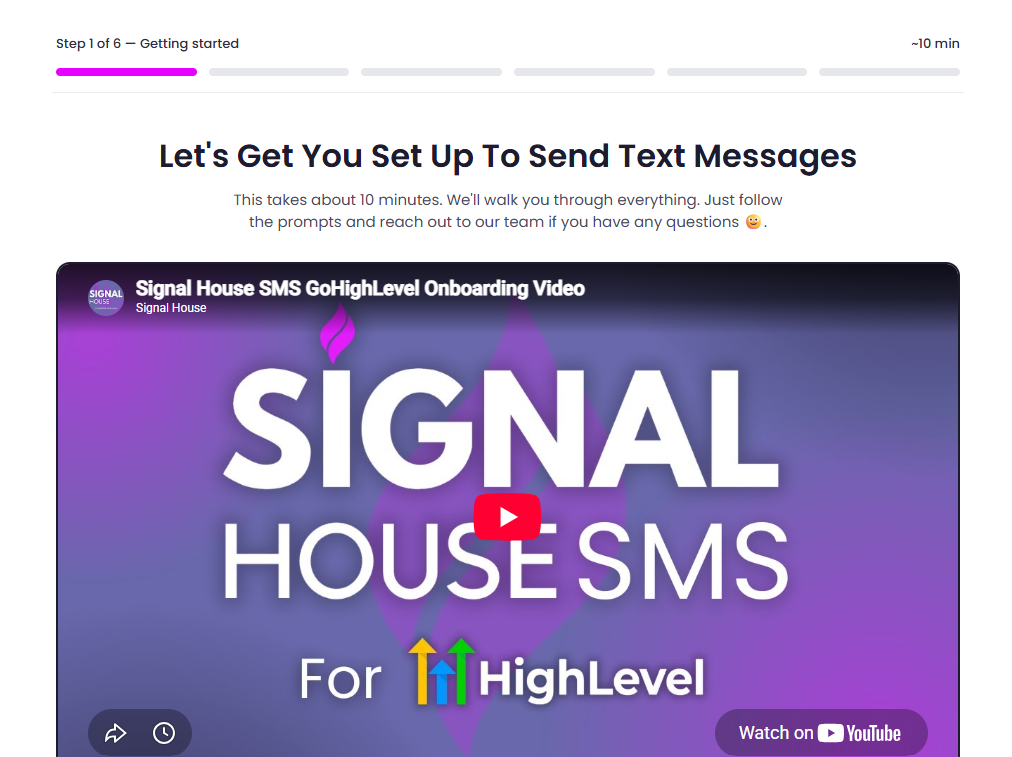
🎬 Step 1 — Getting Started
A short onboarding video walks through Signal House SMS for GoHighLevel before setup begins.
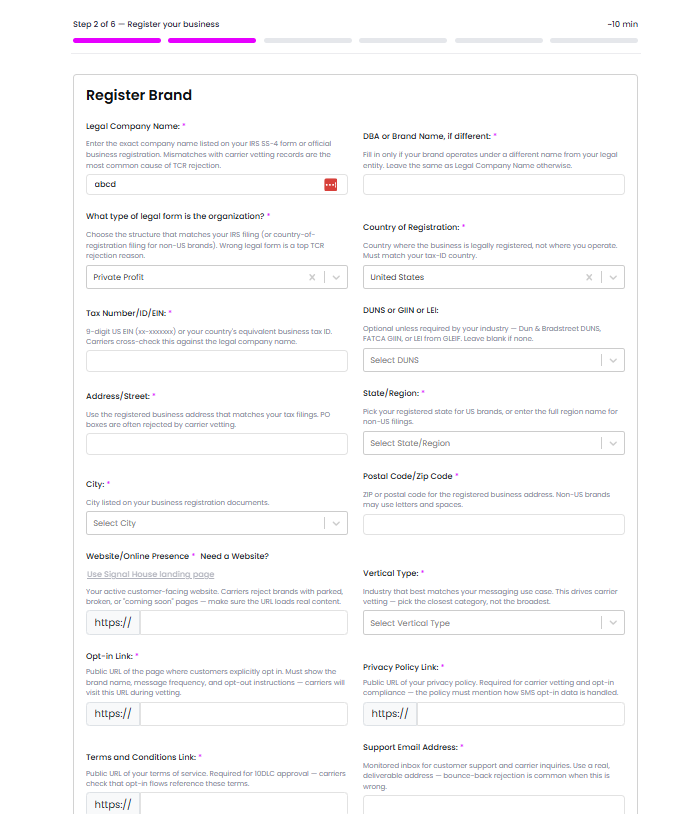
📝 Step 2 — Register Your Business
Users fill out their brand registration in one place, legal company name, business type, tax ID/EIN, registered address, and more. This information is used for carrier vetting, so accuracy here matters, mismatches with official records are one of the most common causes of rejection.
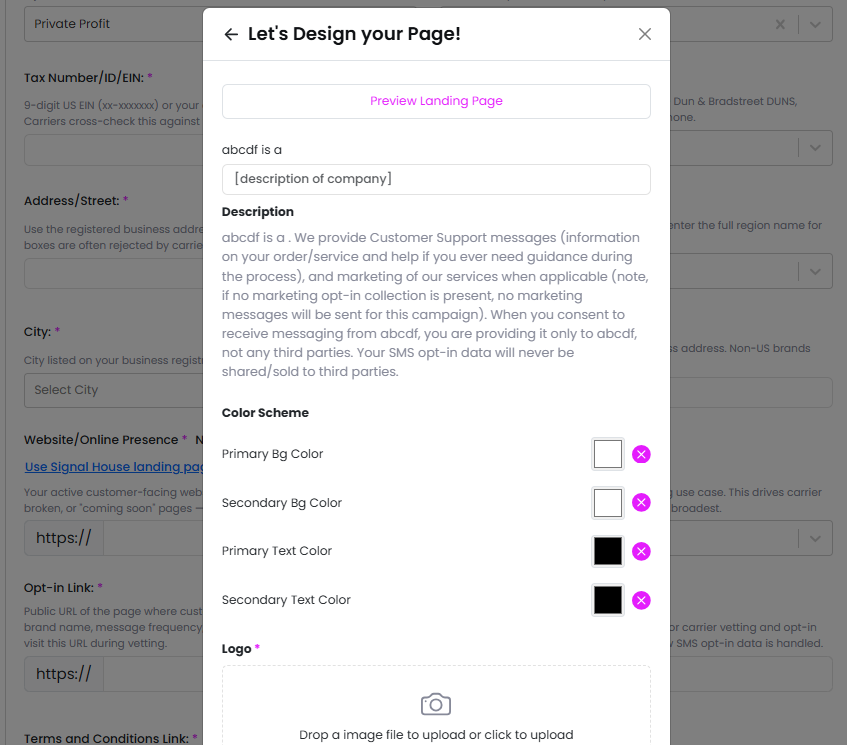
If a user doesn't have a website, they can use the built-in "Let's Design Your Page!" option to instantly generate a Signal House-hosted landing page, just add a company description, color scheme, and logo, no external site needed.
📞 Step 3 — Choose Your Number
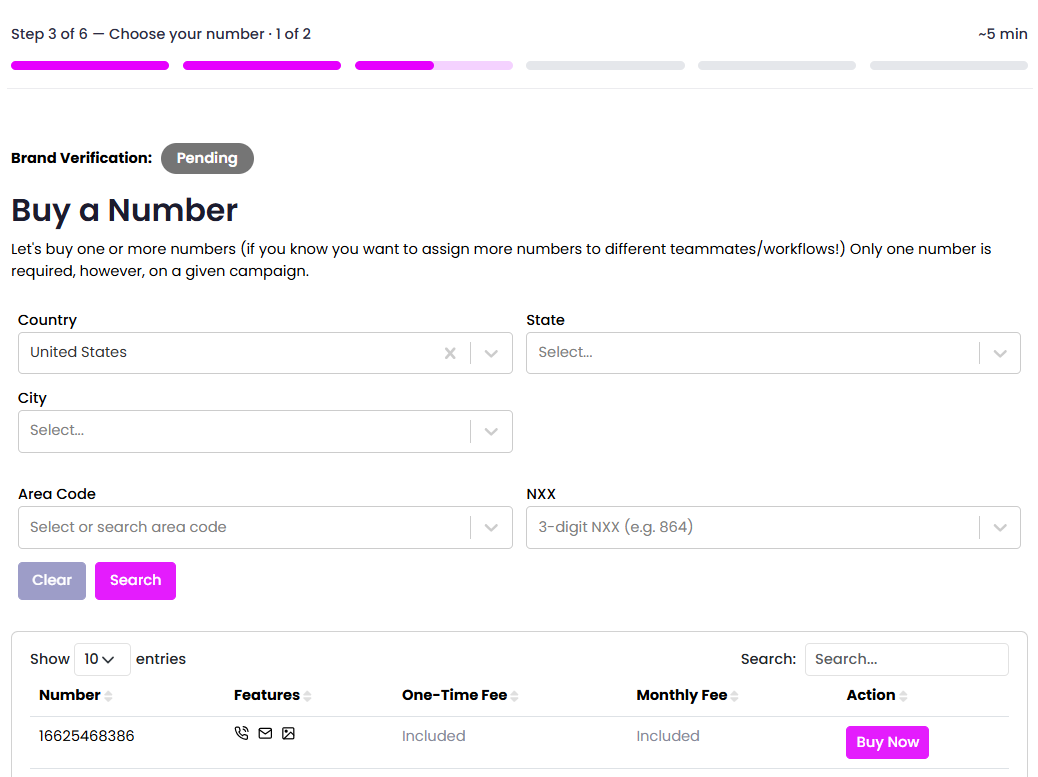
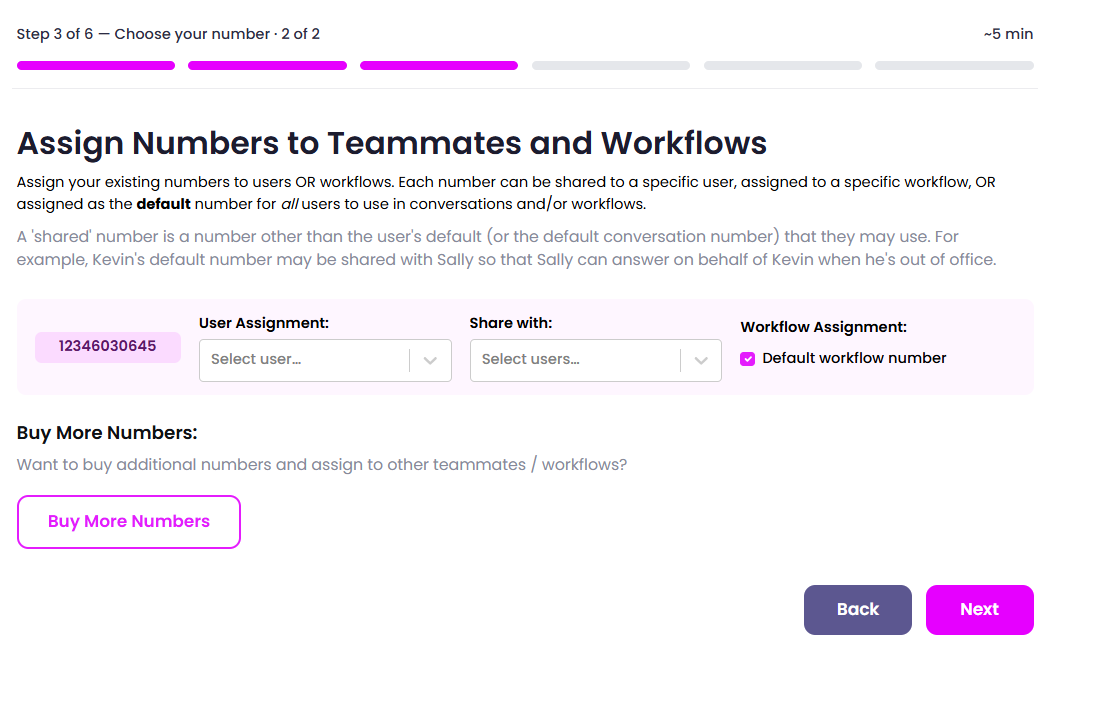
Once brand registration is submitted (shown as "Pending" while verification is underway), users can search and buy a number by country, state, city, or area code. Only one number is required per campaign, but users can buy multiple if they plan to assign different numbers to teammates or workflows, and assign them right away in the same step.
📋 Step 4 — Campaign Submission
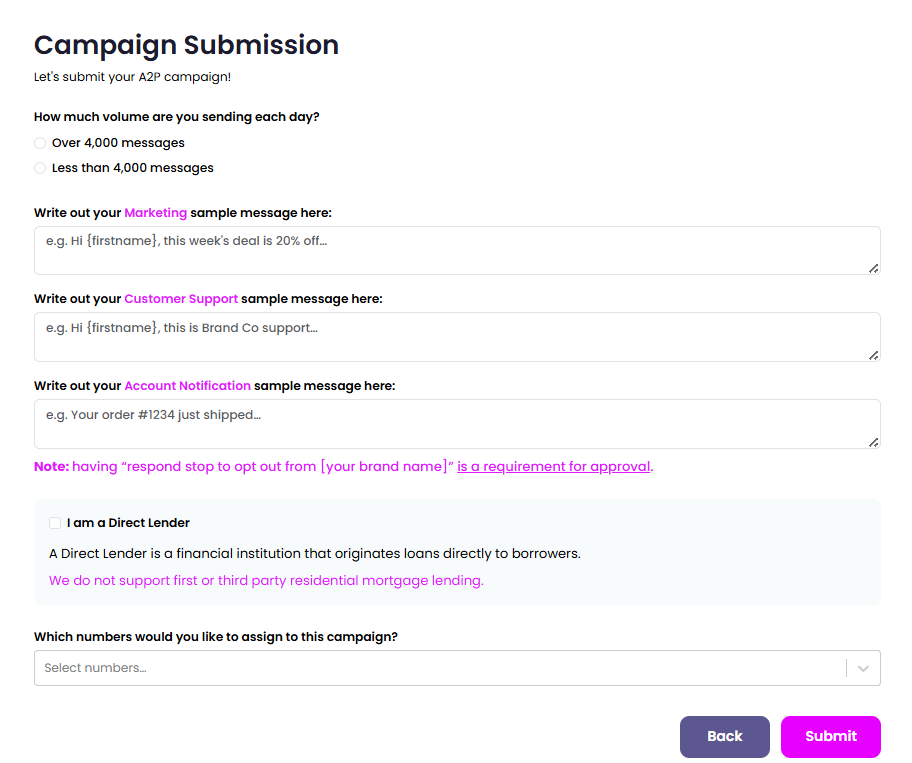
Users submit their A2P campaign here: expected daily volume, sample messages for use case selected (e.g marketing, account notification), and which number(s) to assign. A compliant opt-out line is required for approval.
⚙️ Step 5 — Signal House SMS Settings
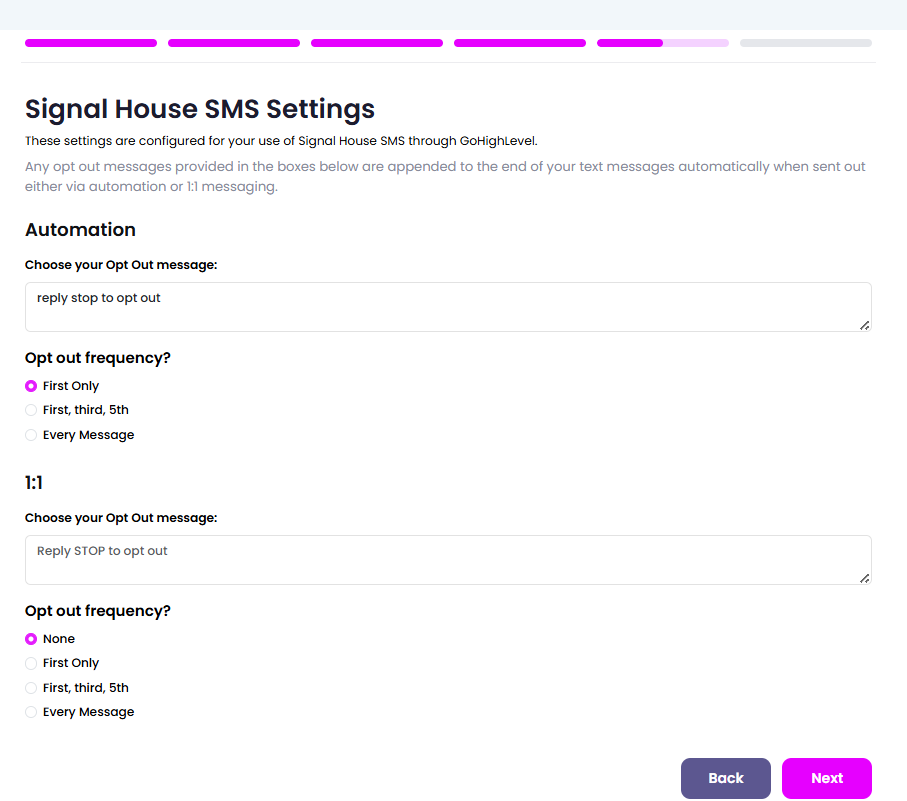
Users choose their opt-out message and frequency for both Automation and 1:1 conversations, these are automatically appended to outbound texts based on what's selected.
✅ Step 6 — You're Ready to Go!
Once complete, users see a confirmation screen letting them know their campaign is under carrier review, along with a few helpful guides for help.
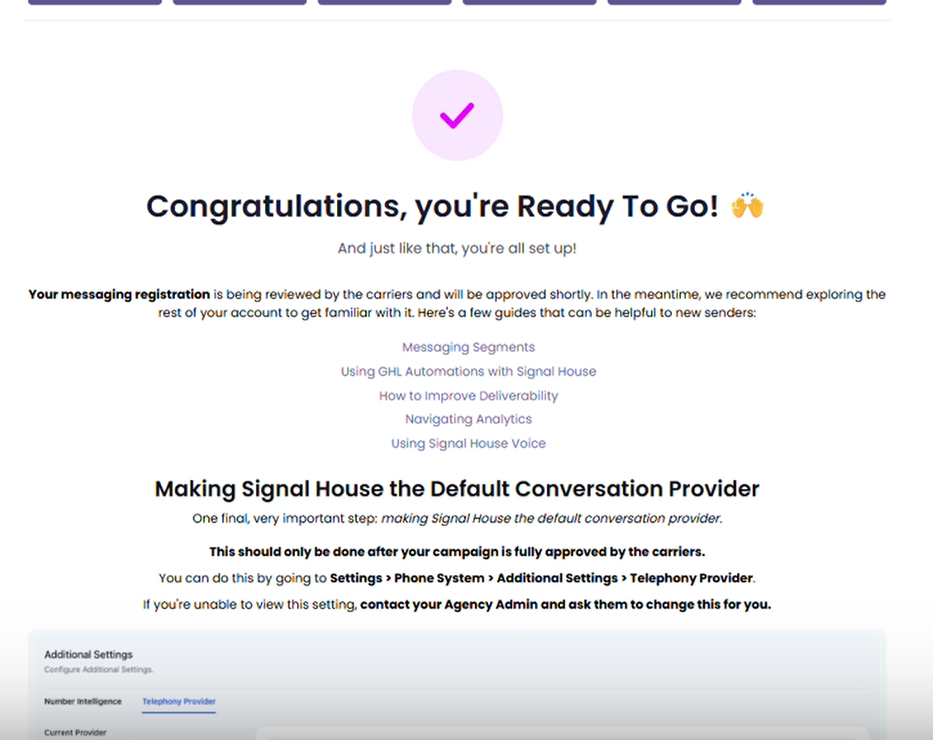
One important final step: once the campaign is fully approved by carriers, Signal House needs to be set as the default conversation provider. This is done via Settings > Phone System > Additional Settings > Telephony Provider. If a user can't access this setting, their Agency Admin will need to make the change for them.