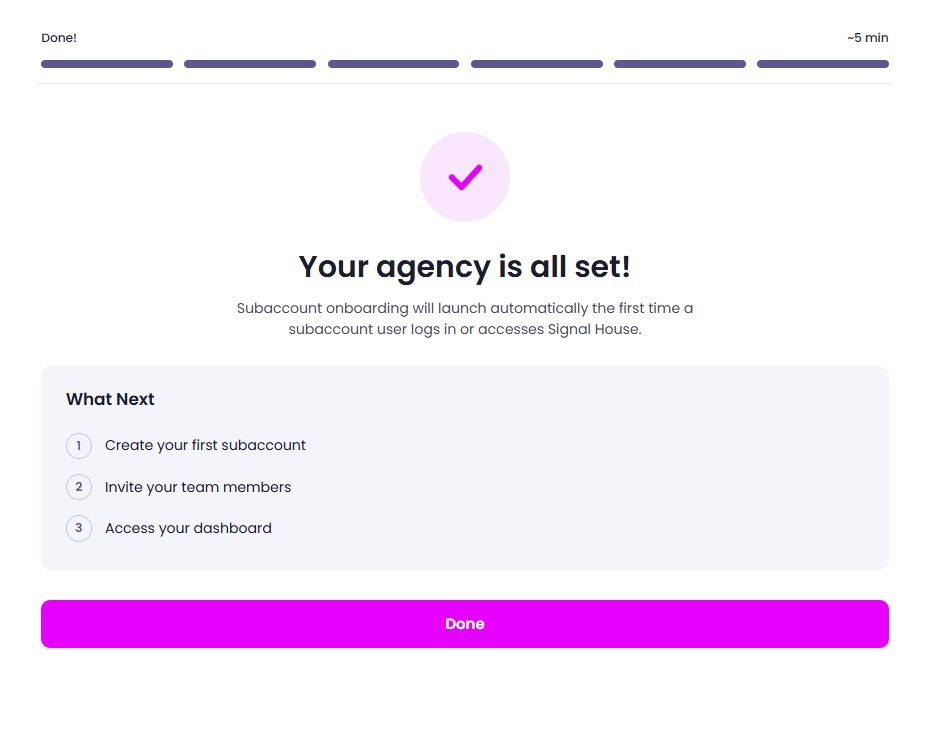
Onboarding flow - Agency
🚀 Agency Onboarding: Get Set Up in One Go
When you install Signal House from your GoHighLevel agency view, you'll be walked through a quick, guided onboarding flow, no jumping between screens or hunting for settings. Everything is completed in a single flow, saving you time and getting your agency fully set up in about 5 minutes.
Here's what to expect, step by step:
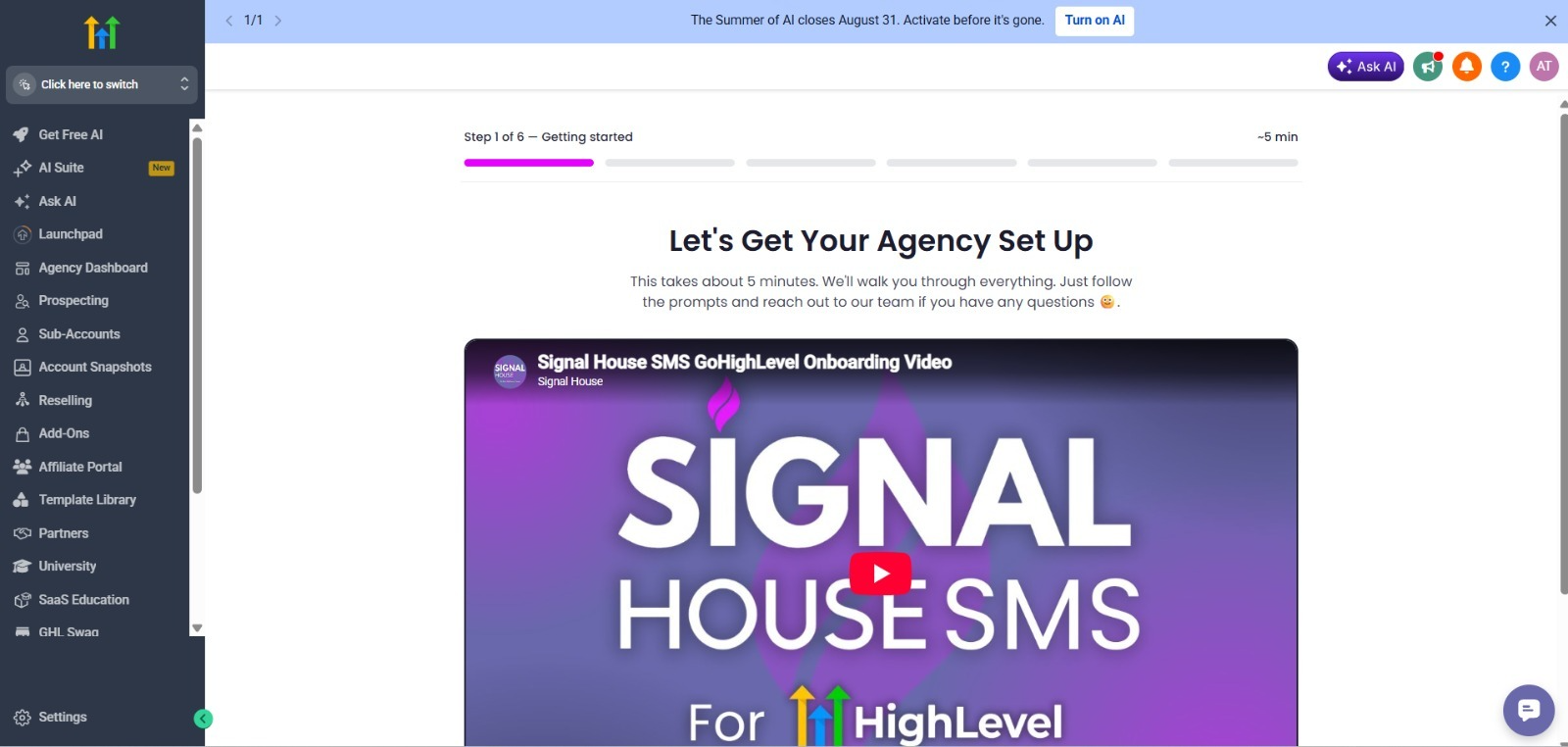
🎬 Step 1 — Getting Started
You'll land on a welcome screen with a short onboarding video walking you through Signal House SMS for GoHighLevel. This gives you a quick overview before you dive into setup, just follow the prompts from here.
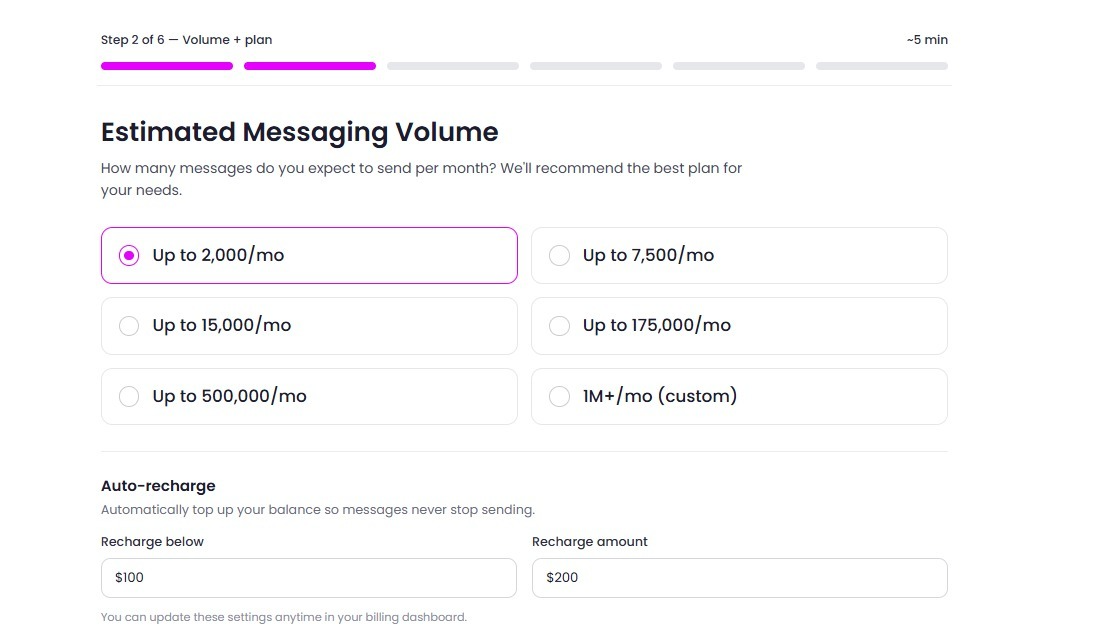
📊 Step 2 — Estimated Messaging Volume
Next, you'll be asked how many messages you expect to send per month. Based on your selection, Signal House will recommend the best plan for your needs. You'll also be able to set up auto-recharge here, so your balance automatically tops up before it runs out and your messages never stop sending.
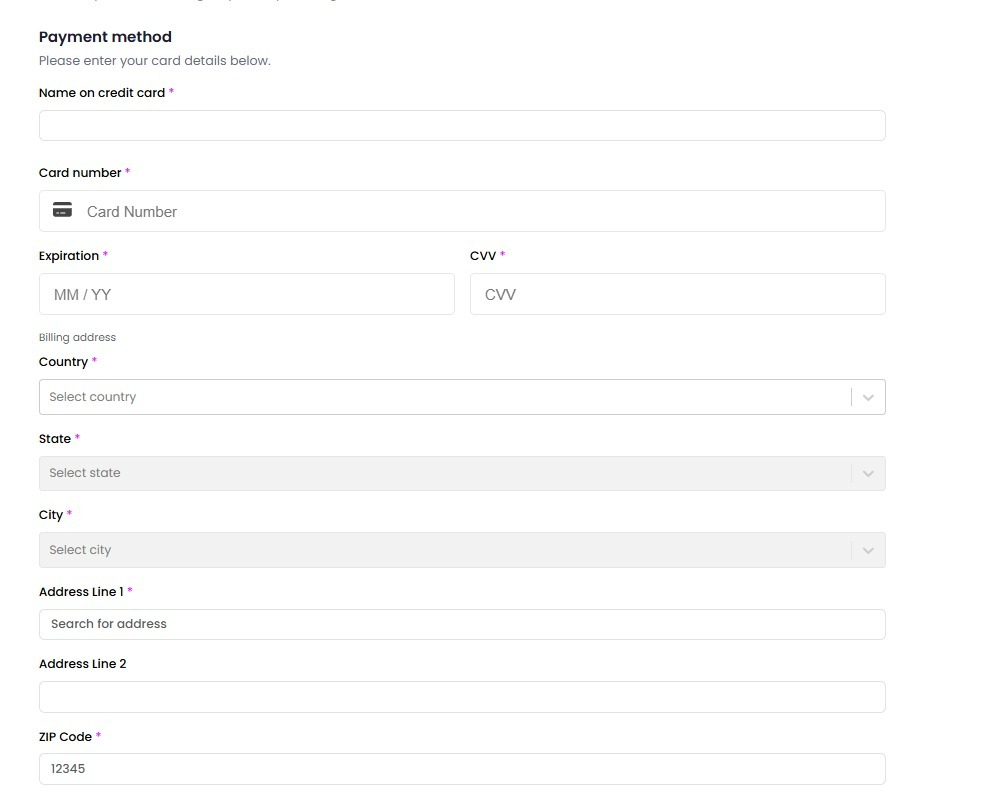
💳 Step 3 — Payment Method
You'll enter your card details and billing address to complete your account setup. This ensures your agency is ready to send messages as soon as onboarding is complete.
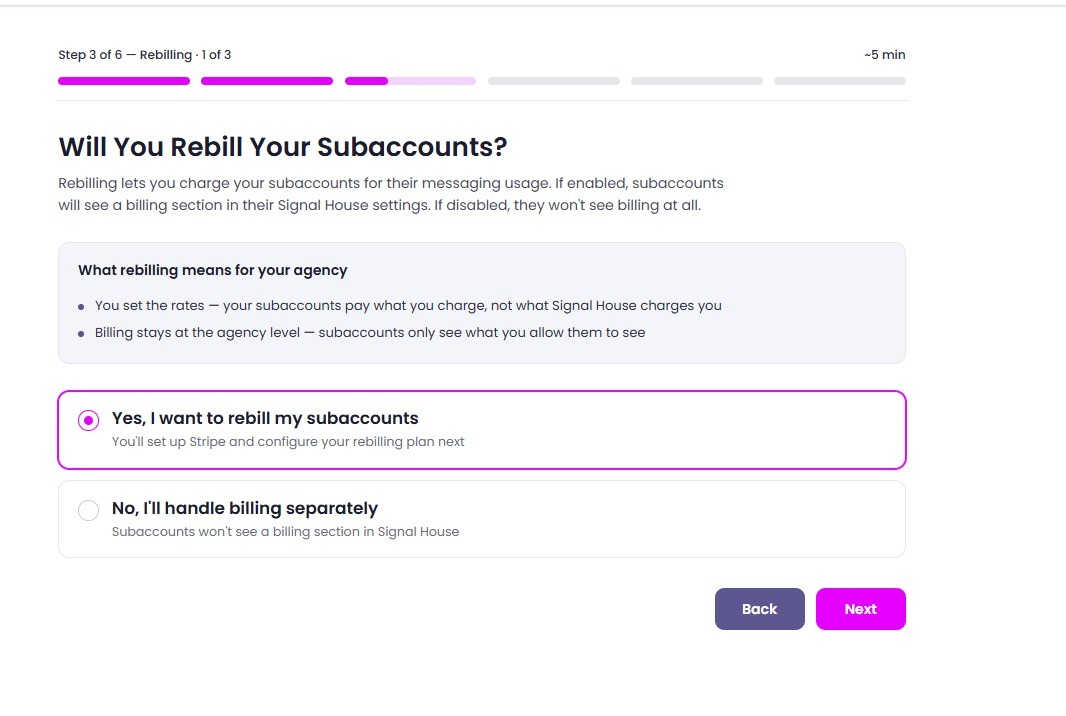
🧾 Step 4 — Will You Rebill Your Subaccounts?
This is where you decide how billing will work across your agency:
Yes, rebill subaccounts — you set your own rates, and subaccounts pay what you charge (not what Signal House charges you). Billing stays visible only to what you choose to show them.
No, I'll handle billing separately — subaccounts won't see any billing section in Signal House at all.
⚙️ Step 5 — Confirm Your Rebilling Setup
If you selected "Yes" in Step 4, you'll continue on to configure your Stripe connection and rebilling plan details here.
✅ Step 6 — You're All Set!
Once complete, you'll see a confirmation screen letting you know your agency is fully set up. From here:
Create your first subaccount
Invite your team members
Access your dashboard
Subaccount onboarding will automatically launch the first time a subaccount user logs in or accesses Signal House, so there's no extra setup needed on your end for that.