
Signal House Voice Dialer: GoHighLevel Setup 📞
Welcome to the official setup guide for the Signal House Voice Application!
This integration enables HD voice calling directly in your GoHighLevel agency using your existing SMS phone numbers 😎
Want to see the video walkthrough? 👀👇
Check out this video to see the Signal House Dialer in action, setup and features explained step-by-step: https://www.youtube.com/watch?v=Oha5x-X9yLg
📝 Quick Setup List:
Before installing the Signal House app in your GHL account, make sure you have:
Agency Admin access to your GoHighLevel account.
An active Signal House account with a minimum balance of $2.00 to initiate calls
📦 Phase 1: Installation (Agency Level):
Since Signal House Voice sits directly on top of GoHighLevel (rather than the Lead Connector backend), you’ll need to add a custom JavaScript script at the agency level to get it running.
Below are a few easy-to-follow steps to add custom JavaScript at the agency level:
Step 1: Copy the Script
Log into your Signal House dashboard (at the Agency Level).
Navigate to the Settings section.
Click the Copy Script button
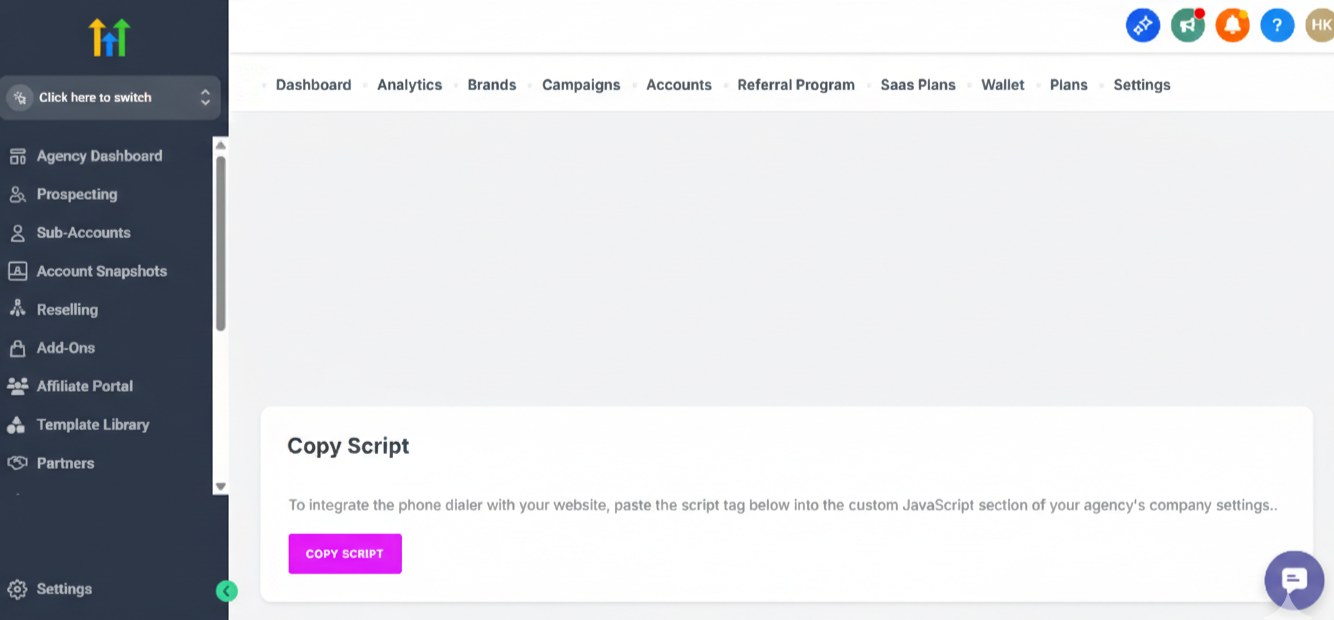
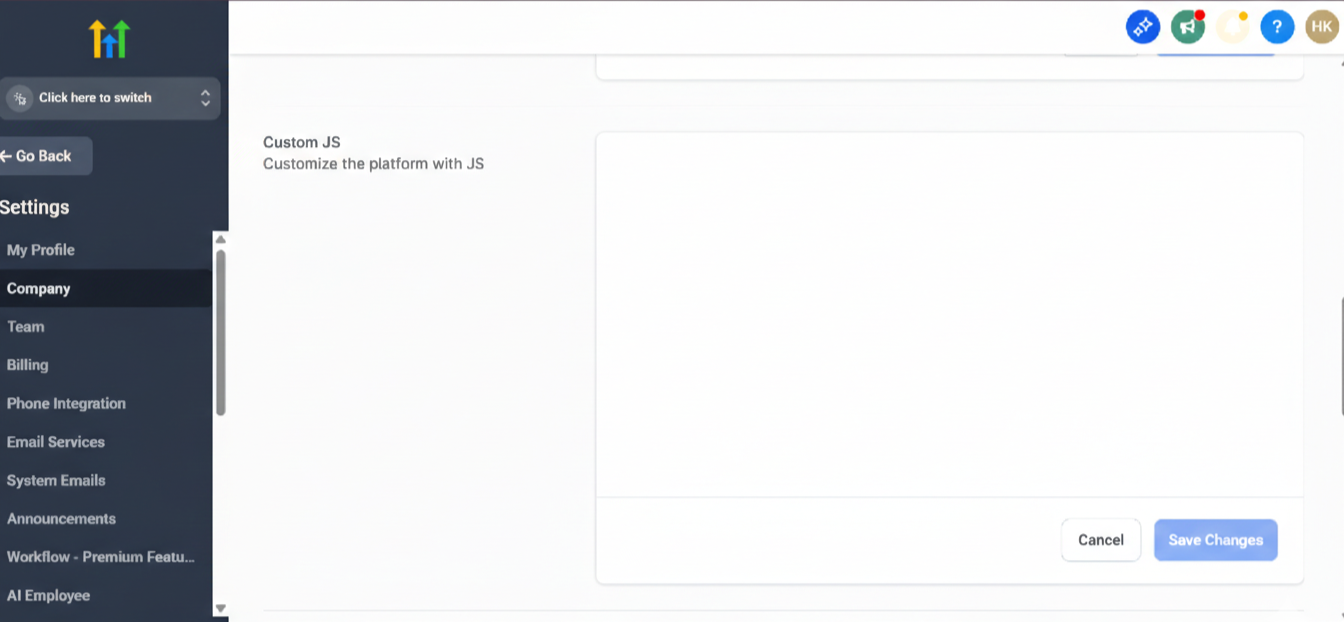
Step 2: Whitelabel Integration:
Open your GoHighLevel Agency View.
Go to Settings → Company.
Scroll down to the Whitelabel section.
Locate the Custom JS field and paste the script you copied from Signal House.
Click Save.
📞 Phase 2: Using the Dialer:
Once the script is saved, navigate to any sub-account.
Heads up: If you don't see the changes immediately, please refresh your browser to clear the cache.
📱The Interface:
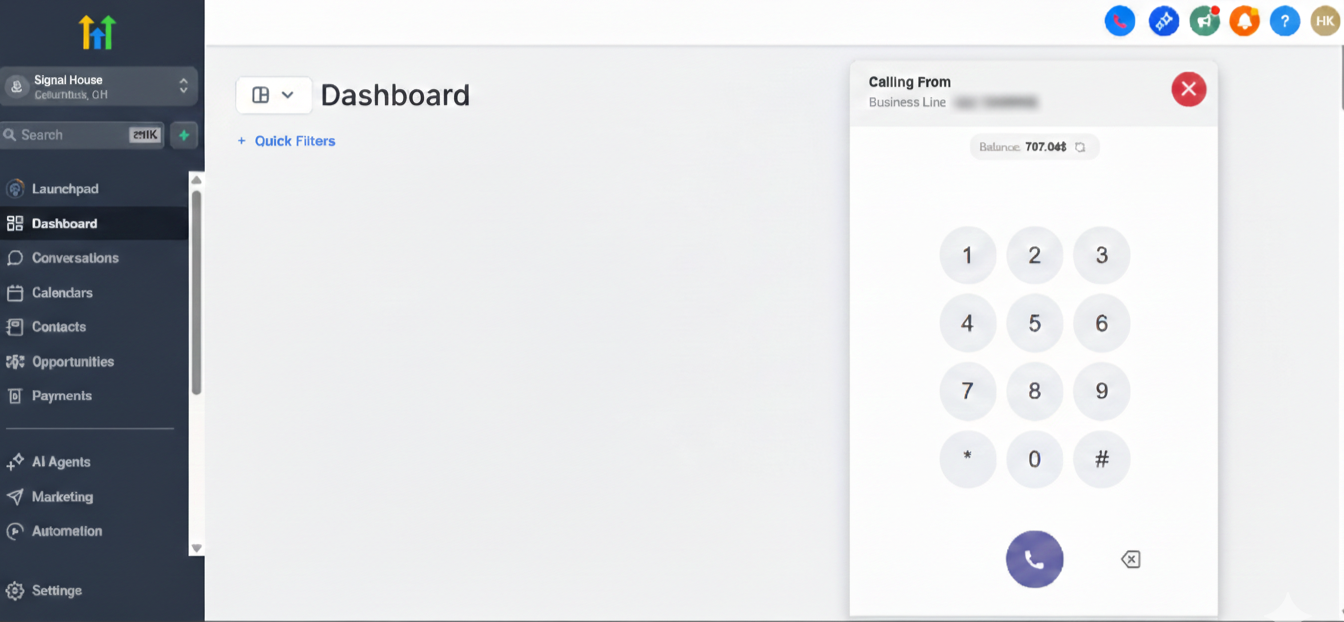
Currently, the standard green GoHighLevel calling button is replaced with a purple calling button. We're working to provide you both the GHL voice button and the Signal House one, in case you have some subaccounts not using GHL.
Dialing: Click the purple button to open the dialer. You can either type a number manually or search through your existing contacts.
Number Selection: Within the dialer, use the dropdown menu to choose which of your associated phone numbers you want to make the call from.
☎️ Inbound & Outbound Calls:
Incoming Calls: When a call comes in, the dialer will pop up on your screen with an audible ring. You can mute the ring or choose to Accept or Decline the call.
Active Call Tools: While on a call, you can:
Take Notes: Any notes you add will sync automatically to the contact’s GoHighLevel record.
View Messages: Click the message icon to access the conversation history with that contact, all without interrupting your call (messages will open in a new tab).
📊 Phase 3: Contact & Call Management:
The Signal House Dialer helps you manage your workflow effortlessly—no need to switch between tabs.
Recent Calls: Quickly access a log of all inbound, outbound, and missed calls.
Contact Search: Find leads instantly by searching their name or phone number.
Quick Actions: From the "Recent" list, easily add tags to a contact—these updates sync in real time to their GoHighLevel profile.
Additional Features: HD voice, smarter features, effortless calling ⚡📞:
With Voice 2.0, you now get access to exciting new features designed to make your calling experience smoother, smarter, and more powerful.
Here are just a few of the game-changing features in V2:
📞➡️📲 Call Forwarding / Warm Transfer:
Take full control of your calls by forwarding them to the number that works best for you.
How to set it up:
Go to Subaccount > Settings.
Enable Call Forwarding and customize the settings:
Add the number where you want your calls forwarded.
Choose whether to forward immediately or after a delay.
Set a specific time if you don’t want forwarding to happen instantly.
How to use it while dialing:
Open the dialer keypad.
Enter the number you want to call.
Click 'Forward' from the options.
Enter the number to forward the call to, and you’re all set!
🔴📞 Call Recording:
Never miss a detail, record your calls easily.
How to set it up:
Go to Subaccount > Settings and enable Call Recording.
How to use it while dialing:
Open the dialer keypad.
Make your call and select 'Record'.
Listen to all recordings anytime in the 'RECORD' section.
📬 Voicemail
Stay on top of every message with voicemails right in your dialer.
View all voicemails in the 'VOICEMAIL' section, super easy to access and manage.
🤖🗣️AI Voice (A Special Surprise)
Boost your efficiency with AI Voice, working seamlessly with your AI agents.
Note: It works only with LeadConnector (LC) phone numbers.
How to set it up:
Go to Subaccount > AI Agent > Voice AI > Agent List (with LC number).
Copy the number.
Go to Signal House app > Settings.
Enter the number in Call Forwarding and hit Save.
Now, incoming calls can be handled automatically by your AI agent, making your workflow even smoother!
📲 Missed Call Text-Back:
You can now enable Missed Call Text-Back with Signal House, ensuring you stay connected with your leads even when you can’t answer their call.
How to Set It Up:
Log in to your GHL (GoHighLevel) account.
Switch to the Subaccount View where you want to enable the feature.
Open the Signal House app installed in that subaccount.
Go to the Settings section.
Click on Missed Call Text-Back to enable it.
Enter your customized message in the dropdown box that appears.
Save your changes, and you'll be all set!
Pro Tip: Keep your message friendly, professional, and reassuring to increase response rates and build trust instantly.
🛣 Roadmap & Feature Gaps
We are currently in a staggered release. Below is the feature availability:
Feature | Version 2 (Out now!) | Version 3 (Future) |
Click-to-Dial | ✅ | ✅ |
Sync Notes/Tags | ✅ | ✅ |
Call Recording | ✅ | ✅ |
Warm Transfers | ✅ | ✅ |
Call Forwarding | ✅ | ✅ |
Voicemails | ✅ | ✅ |
Power Dialer | ❌ | ✅ |
Events in Automation | ❌ | ✅ |
Call from Power Dialer | ❌ | ✅ |
🛠️Troubleshooting & Pricing:
Balance Issues: If your balance falls below $2.00, outbound calling will be disabled. Top up your balance at the agency level.
Pricing: Voice pricing is 1:1 with standard Lead Connector voice rates.
Re-billing: Agency owners can use Signal House Re-billing to charge sub-accounts for voice usage.
Still have questions? We’ve got answers!
Reach out to our Support Team.